How to Access Your MasterClass Member Site
A Step-by-Step Guide for MasterClass Participants
Welcome to Hitomi's MasterClass! We want to make sure that every student feels comfortable accessing their lessons, recordings, and learning materials throughout the program.
All MasterClass content is hosted on our private Member Site at HitomiGilliam.com, where you'll find new lessons, instructional videos, discussion sessions, downloadable resources, and other important program information.
This guide will walk you through how to log in, find your lessons, and reset your password if needed.
Important: If you have already registered for the MasterClass, you should already have a member account! You created this account as part of the registration process, using your email address and a password. You do not need to register or purchase the program again.
How to Log In to Your Member Account
To access your MasterClass lessons:
Open your internet browser (Safari, Chrome, Firefox, etc.).
Visit www.HitomiGilliam.com.
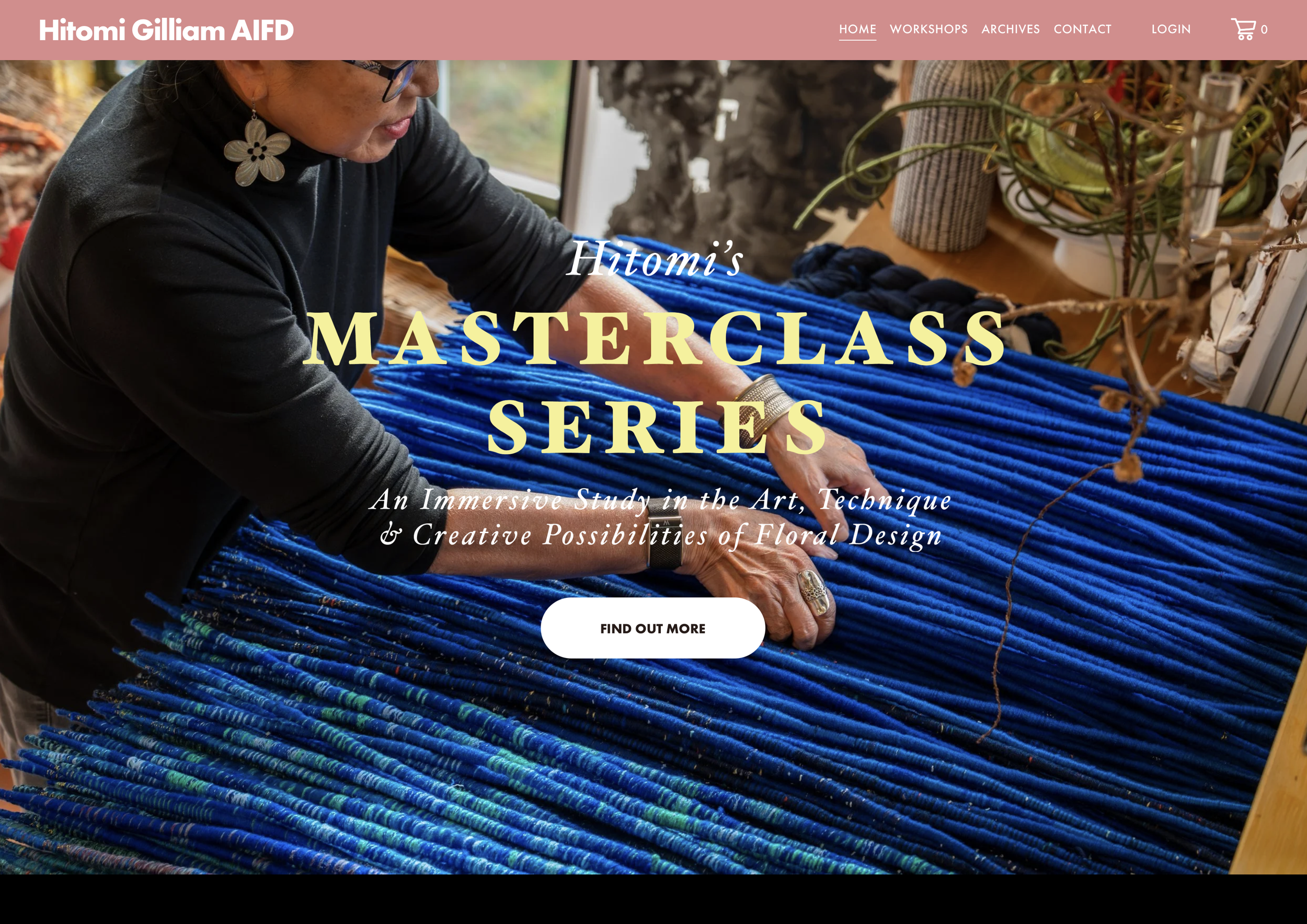
Look for the LOGIN In link near the top-right of the homepage.
Click Login.
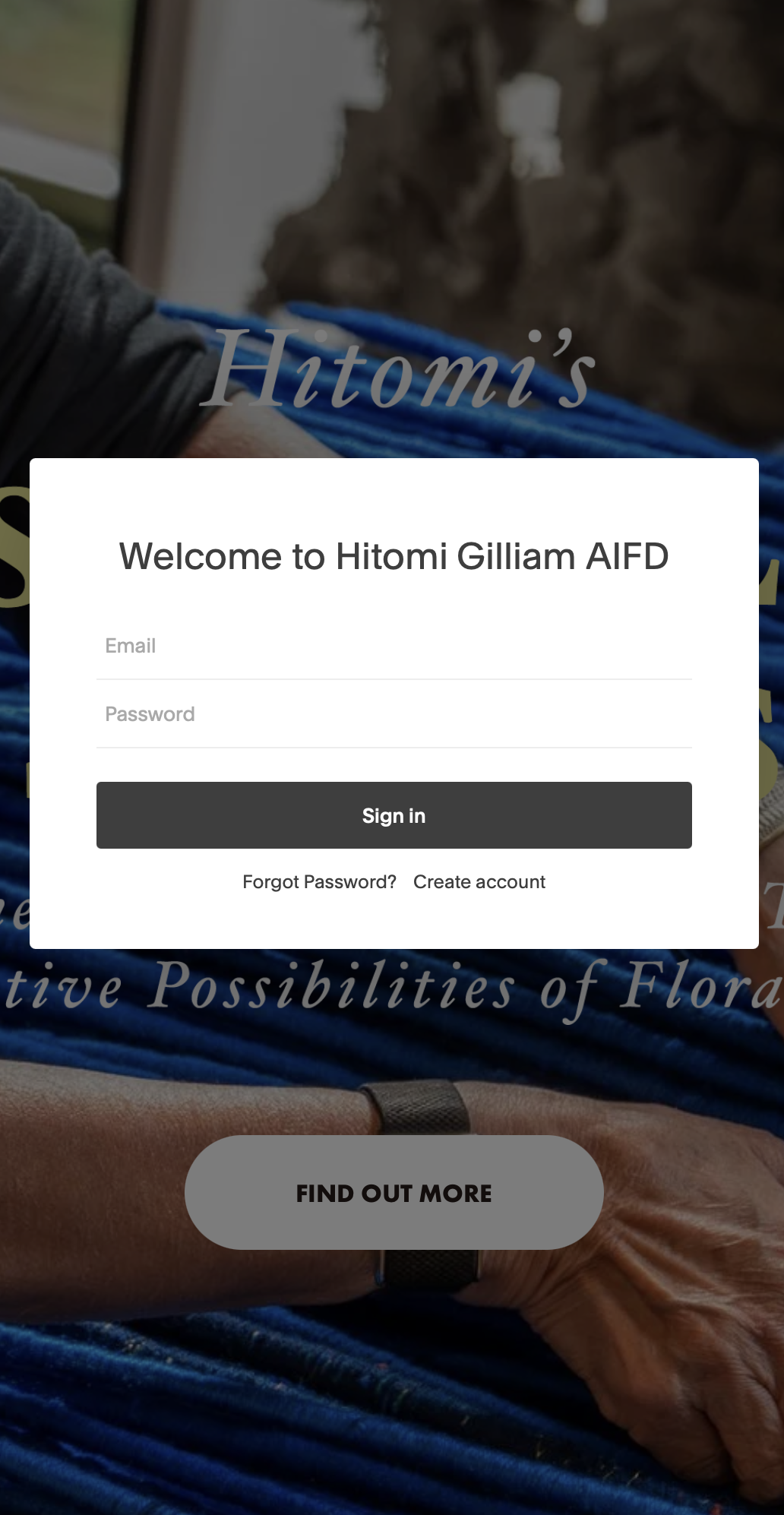
Enter the email address and password you used when registering for the MasterClass.
Click Sign In.
Once you're logged in, you'll be able to access your member account and the MasterClass content included with your registration.
Helpful Tip: We recommend bookmarking HitomiGilliam.com in your browser so you can easily return to the website throughout the program.
How to Find Your MasterClass Lessons
Once you've successfully logged in:
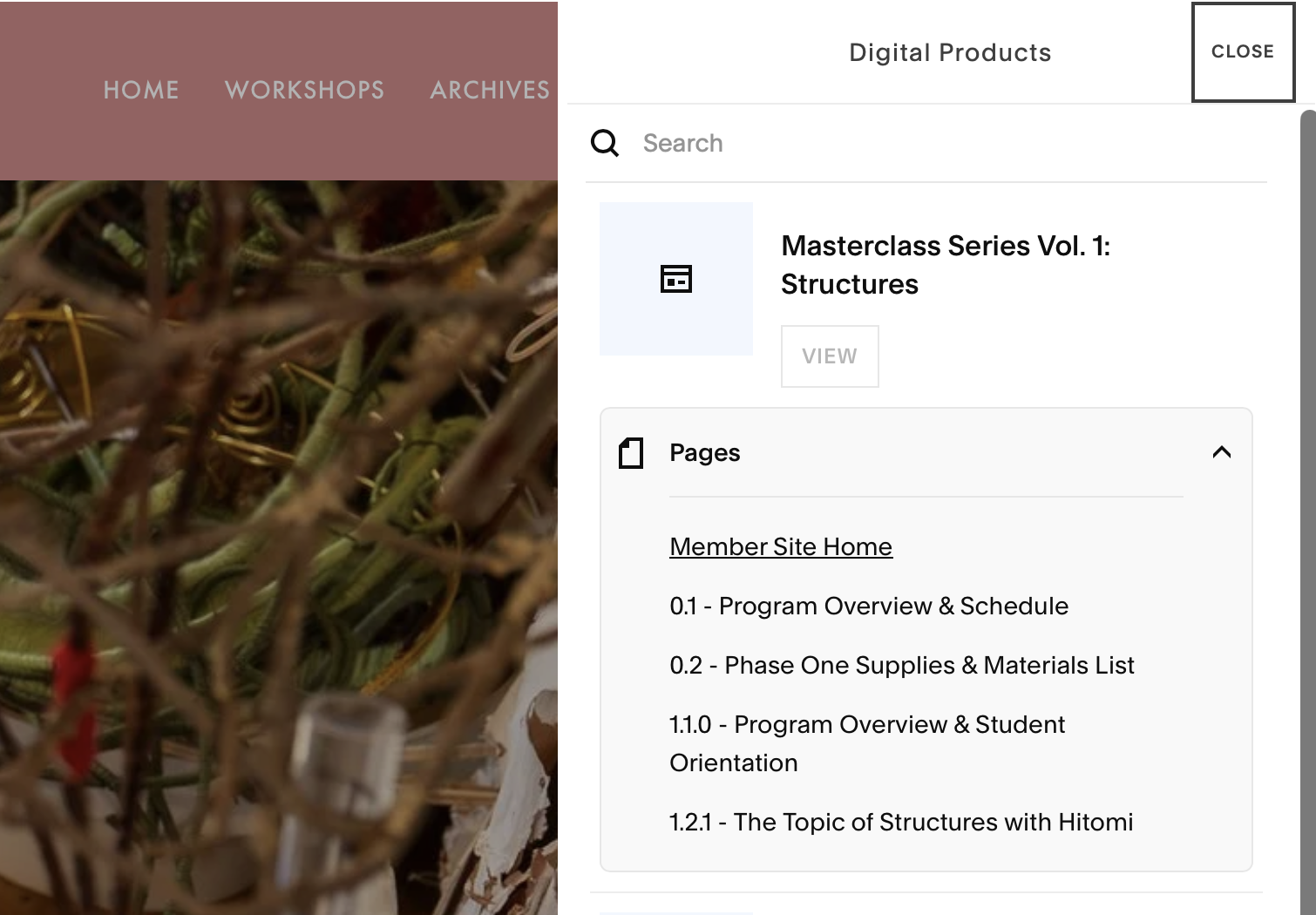
Click Account to open your member account panel, if it isn't already open.
Look for Digital Products or Memberships.
Select MasterClass Vol. 1: Structures to access your program.
From the MasterClass homepage, navigate to the lessons, discussions, recordings, and resources you would like to view.
We will continue adding new content throughout the program, so we encourage you to return to the Member Site regularly.
Remember: You don't need to wait for an email announcement to access your lessons. All available program content can be found directly on the Member Site.
Forgot Your Password? Here's How to Reset It
Don't worry if you can't remember the password you created when registering. You can easily create a new one.
Visit www.HitomiGilliam.com.
Click LOGIN
On the login screen, click Forgot Password?
Enter the email address you used to register for the MasterClass.
Follow the instructions to request a password reset email.
Open the email from Squarespace and click the password reset link.
Follow the instructions to create a new password.
Once your password has been updated, return to HitomiGilliam.com and log in using your email address and new password.
Not receiving the password reset email?
Check your Spam, Junk, or Promotions folders.
Make sure you're using the same email address you registered with.
Allow a few minutes for the email to arrive.
If necessary, try requesting another password reset email.
*Please note that password reset links expire after 24 hours. If yours has expired, simply request a new one.
Troubleshooting & Frequently Asked Questions
I Registered, but I Don't Remember Creating an Account
This is a common question!
When you registered and paid for the MasterClass, the website asked you to create a customer account or sign in to an existing one.
Your registration and access to the MasterClass are connected to that account.
If you don't remember creating a password, we recommend following the Forgot Password instructions above.
Please do not register for the MasterClass again or purchase another membership. If you're having trouble accessing your existing account, contact us and we'll help you determine the next steps.
Tips for a Smooth Learning Experience
Bookmark the website: Save HitomiGilliam.com as a favorite in your browser.
Keep your login information handy: Use a secure password manager or another safe method to remember your login details.
Use the same email address: Always log in with the email address associated with your registration.
Explore the Member Site: Take a few minutes to become familiar with the different lesson pages and resources.
Check back regularly: New content will continue to be added as the MasterClass progresses.
Watch at your own pace: Pre-recorded lessons and discussions can be revisited whenever you need a refresher, while your membership provides access.
How Will I Know When New Lessons Are Available?
Throughout the MasterClass, we will be sharing important announcements and updates through several communication channels.
Your MasterClass Member Site
This is your primary resource and central location for all lessons, videos, recordings, and program materials. We recommend checking it regularly.
Email Notifications
We'll send emails to announce new lessons, upcoming live sessions, and other important information.
Private Facebook Group
We have also created a private Facebook group for MasterClass participants. If you haven’t yet joined, make sure to do so by visiting https://www.facebook.com/groups/hitomismasterclassstructures and requesting to join. This is another place where we'll share announcements, reminders, and opportunities to connect with fellow students.
While we'll do our best to keep everyone informed through these channels, the Member Site should always be your first destination when looking for course content.
Still Need Help?
We're happy to help!
If you're having trouble logging in, finding your lessons, or accessing your MasterClass materials, please contact us via email at colin@design358.com
When contacting us, please include:
Your full name
The email address you used to register
A brief description of the problem you're experiencing
We'll do our best to help you get back to enjoying the MasterClass as quickly as possible. We want your learning experience to be inspiring and enjoyable, without technology getting in the way.